

Download PageSpinner – Free Mac HTML & XML Editor for Developers
Overview
PageSpinner is a lightweight, trial‑version HTML and XML editor designed exclusively for macOS users. First released in 2005 and continuously updated—most recently on 6 September 2005—this development‑focused tool lives in the “Internet” subcategory of the broader “Development” genre. Though it targets a niche audience of web designers and front‑end developers, PageSpinner offers a surprisingly rich set of features while keeping its footprint minimal.
The software is distributed in English only and runs on Mac OS X as well as earlier Mac OS versions, making it a handy addition to any Mac‑based development workstation. With 1,875 downloads since its catalog entry and a modest update schedule, PageSpinner remains a solid choice for those seeking a no‑frills, secure editor that can be downloaded for free as a trial. Its simple interface, combined with robust code‑highlighting capabilities, ensures that both beginners and seasoned coders can quickly spin up HTML pages, edit XML documents, and preview changes in real time.
Whether you are building static sites, polishing legacy code, or learning the fundamentals of web markup, PageSpinner provides a reliable, Mac‑only environment that emphasizes speed, stability, and ease of use.
Key Features
- Lightweight Installation: Requires far less disk space than typical development suites, ensuring fast installation and quick launch times on any Mac.
- Syntax Highlighting: Real‑time color‑coded highlighting for HTML, CSS, JavaScript, and XML, helping you spot errors instantly.
- Live Preview: Integrated browser pane that refreshes automatically as you edit, allowing you to see changes without leaving the editor.
- Code Folding: Collapse and expand sections of code for better navigation in large documents.
- Search & Replace: Powerful find/replace with regular expression support, ideal for bulk edits across multiple files.
- Auto‑Completion: Suggests tags, attributes, and common snippets, speeding up the coding process.
- Export Options: Save directly to HTML, XHTML, or XML formats with proper DOCTYPE declarations.
- Mac‑Centric UI: Native macOS look and feel that integrates seamlessly with Finder, Dock, and system shortcuts.
- Secure Trial Model: Free download for evaluation, with a clear upgrade path to the full version if needed.
- Multi‑Language Support (future‑ready): Though currently English‑only, the architecture allows for easy localization.
Installation & Usage Instructions
Step‑by‑Step Installation
Downloading and installing PageSpinner on a Mac is straightforward. Follow these steps to get the editor up and running in under five minutes:
- Download the Installer: Click the “Download PageSpinner” button on the product page. The file arrives as a compressed
.dmgpackage. - Mount the Disk Image: Double‑click the
.dmgfile to mount it on your desktop. A new window will display the application bundle. - Copy to Applications: Drag the PageSpinner icon into your
/Applicationsfolder. macOS may ask for your administrator password; provide it to authorize the copy. - Launch the App: Open the
Applicationsfolder and double‑click PageSpinner. The first launch will trigger a security check; confirm you trust the developer. - Complete Trial Activation: Upon opening, a dialog offers you the trial version. Accept the terms, and you’re ready to start editing.
Getting Started with the Editor
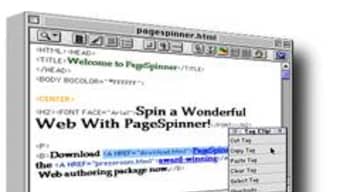
Once installed, using PageSpinner is intuitive. The main window is divided into three panels: a file navigator on the left, the code editor in the center, and a live preview pane on the right. To begin a new project, select File → New or press ⌘N. Choose “HTML Document” or “XML Document” as your template, and the editor will pre‑populate basic boilerplate code. From here, you can start typing or paste existing markup.
The toolbar offers quick access to common actions: Save (⌘S), Undo/Redo (⌘Z / ⇧⌘Z), and Find (⌘F). The Preferences dialog (PageSpinner → Preferences) lets you adjust font size, color themes, and auto‑completion behavior to match your workflow.
For developers who work with multiple files, the file navigator supports drag‑and‑drop organization. Right‑click a file to rename, delete, or open it in a new tab. The built‑in Validate button checks your HTML or XML against W3C standards, flagging any structural errors before you publish.
Compatibility
PageSpinner is built specifically for macOS environments. It runs smoothly on:
- macOS X 10.4 Tiger and later
- Older Mac OS X releases (up to 10.2)
- All Intel‑based Macs; the binary is also compatible with Apple Silicon via Rosetta 2 translation.
Because the application leverages native macOS frameworks, you won’t encounter the performance hiccups sometimes seen with cross‑platform editors. However, note that PageSpinner does not support Windows, Linux, Android, or iOS platforms.
Pros and Cons
What Users Love About PageSpinner
- Minimal Resource Usage: Launches in seconds and stays light on RAM, ideal for older Mac machines.
- Native macOS Experience: Seamless integration with system menus, shortcuts, and dark mode.
- Live Preview: Instant visual feedback eliminates the need to switch to an external browser.
- Robust Syntax Highlighting: Supports a wide range of web languages out of the box.
- Free Trial: No credit‑card required; users can evaluate full functionality before purchasing.
Areas for Improvement
- Mac‑Only Limitation: Users on Windows or Linux cannot use the software.
- English‑Only Interface: Lack of localization may deter non‑English speakers.
- Feature Set Compared to Modern IDEs: Missing advanced tools like integrated version control or plugin ecosystems.
- Last Update Date: The most recent update dates back to 2005, raising concerns about long‑term support.
- Limited Export Formats: No direct export to PDF or Markdown, which some developers find useful.
Frequently Asked Questions
Is PageSpinner completely free or does it require a purchase after the trial?
PageSpinner offers a fully functional trial that can be downloaded and used without payment. After the trial period, you may choose to purchase the full license to unlock additional features and remove trial limitations.
Can I edit CSS and JavaScript files within PageSpinner?
Yes. While PageSpinner is marketed as an HTML & XML editor, it includes syntax highlighting and basic auto‑completion for CSS and JavaScript, making it suitable for front‑end development tasks.
Does PageSpinner support version control systems like Git?
The current trial version does not have built‑in Git integration. Users can manage version control externally via Terminal or a dedicated Git client.
Is there a way to customize the color theme of the editor?
Yes. In the Preferences window you can select from several preset color schemes or define your own custom palette for syntax highlighting.
Will PageSpinner run on the latest macOS versions (e.g., macOS Ventura)?
Although the software was last updated in 2005, its reliance on core macOS frameworks means it generally remains compatible with newer releases. Users have reported successful operation on macOS Ventura through Rosetta 2 translation on Apple Silicon.
Conclusion & Call to Action
PageSpinner stands out as a focused, low‑overhead HTML and XML editor tailored for macOS developers who value speed and simplicity over sprawling feature sets. Its free trial model lets you test core capabilities—live preview, syntax highlighting, and native macOS integration—without commitment. While the lack of cross‑platform support and an aging update schedule may give some pause, the application’s stability and minimal resource consumption make it a viable option for students learning web fundamentals or professionals needing a quick markup tool on a Mac.
If you’re ready to spin up clean, well‑structured web pages without the bloat of heavyweight IDEs, download PageSpinner today. Click the button below to get the latest trial version, install it in minutes, and start coding instantly. For power users who require more advanced features, consider upgrading to the full license after evaluating the trial.







